Fake Version Terraria
A downloadable Game for Windows
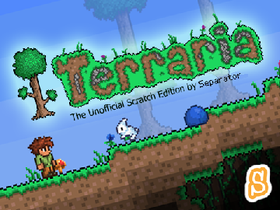
★ Welcome to Fake Version Terraria
★ Instructions:
[WASD] to move
[Click] to dig or place items (based on tool)
[0 to 9] Select Tool
[E] Open / Close Inventory
[Q] Quick select torch (then click to place)
[C] Center screen on mouse
[X] fire grappling hook (if you have one)
[R] to reset your location
[F] to toggle the world map
[K] Creative Mode Toggle
[N,M,H,J] to spawn a mobs in creative (for testing)
[G] Switch Gender
[O] to toggle time of day
[P] to pause (then [S] or [L] to save or load)
[U] to toggle game music
When digging, if the mouse is far away from your player, then auto dig is enabled to make things easier.
When crafting, hold down the mouse over an item to craft many of them before dragging into your inventory to confirm.
For those who haven't played Terraria before, first job is to > use the axe to chop down trees > Craft a workbench > kill a slime > craft some torches > begin mining underground for stone & ores > build a house for guide > craft a furnace > craft an anvil > craft new tools > etc :) If you are running out of wood, plant the acorns for new trees.
★ Features
A single screen comprises of 4 layers (foreground, water, background and sky layer) with each layer being made up of 2,700 tiles! Tiles are edge solved to best match them to their surrounding tiles, and then a light flow algorithm works out their level of illumination.
The level is generated by beginning with a complete dirt world, then carving out stone areas, and then cave areas. The sky is then cut out and grass seeded across the dirt on the surface. Next the grass is ‘grown’ across and around the edges of any nearby dirt blocks and shrub tiles planted on its surface. The sky is then fully illuminated before the world is presented to the player.
Credits:
Re-Logic for all the original artwork, game & sound
Download
Install instructions
When downloading the game, open all the files until you find the "Fake Version Terraria" file and open it.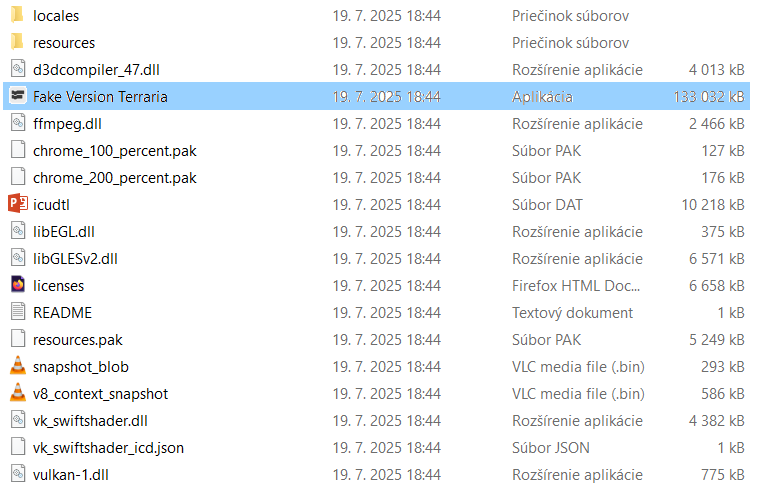
Leave a comment
Log in with itch.io to leave a comment.